Is It Smarter to Use a Wallet Like Apple Pay When Traveling?
Let me tell you about a situation I encountered learned this lesson the hard way.. Traveling often means juggling different currencies, cards, and payment methods. With the rise of smartphones and digital wallets, many travelers ask: Is it smarter to use a wallet like Apple Pay when traveling? In this extensive guide, we’ll explore how digital wallets and saved payment methods transform travel payments, why phone-first checkout expectations matter, and how biometrics reduce friction — all while keeping device security front and center.
The Rise of Digital Wallets in Travel Payments
Digital wallets like Apple Pay, Google Pay, and Samsung Pay have become increasingly popular for day-to-day purchases. But their appeal for travel payments is even more compelling. Instead of fumbling through a physical wallet stuffed with various currencies and cards, travelers can streamline their payment methods through an app on their phone, smartwatch, or another connected device.
How Digital Wallets Work
- Stored Payment Methods: Digital wallets securely store your Visa, Mastercard, American Express, or other cards. Unlike apps that save billing addresses or card info in a fumbling list, these wallets tokenize card data for enhanced security.
- Contactless Payments: With NFC (Near Field Communication), payments at stores, restaurants, and transport become as simple as tapping your device against a reader.
- Online Purchases: Many travel websites and apps accept Apple Pay as a payment option, speeding up checkout without manual card entry.
For travelers, this convenience means you can rely less on carrying physical cash or multiple cards from different countries. Instead, technology handles it, often updating currency exchanges automatically through your card issuer.

Phone-First Checkout Expectations When Traveling
Today’s consumers expect fast, frictionless checkout especially on phones. This expectation is heightened while traveling when you face language barriers, time zones, and the stress of unfamiliar places. Digital wallets cater to phone-first checkout expectations with:
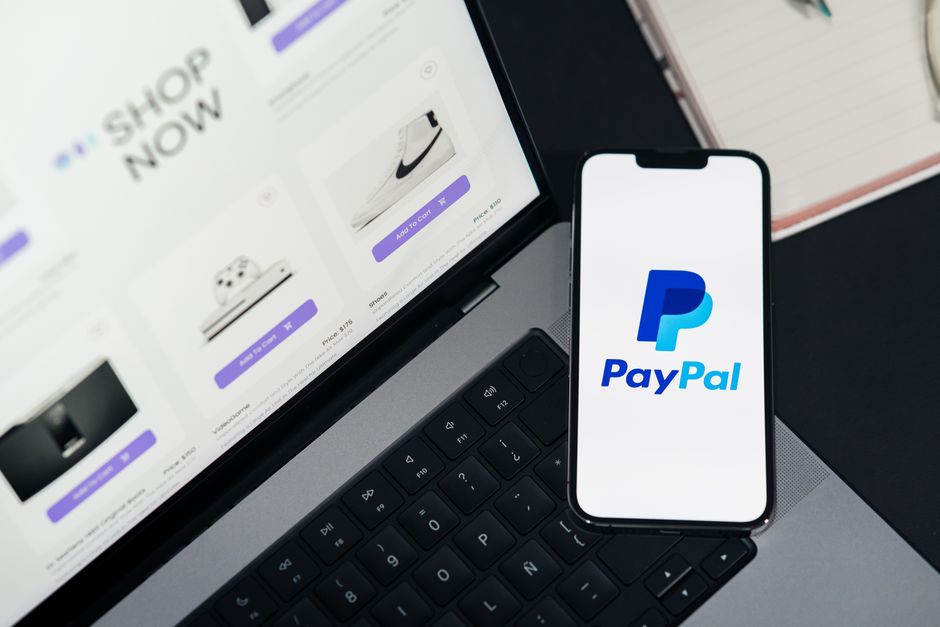
- Fewer Interaction Steps: Tapping Apple Pay typically requires only two or three taps, compared to manual card entry that might take 6–8 inputs (card number, expiration, CVV, billing address).
- Clear Pricing and Totals: The phone screen always displays the full transaction amount before confirming payment — vital when exchange rates and foreign transaction fees might cause uncertainty.
- Instant Authorization: Payments are authorized instantly via your device, reducing waiting time at checkout counters and minimizing awkward interactions.
For example, when purchasing a train ticket in Europe, Apple Pay lets you tap and pay without fumbling for coins or worrying about whether your foreign card will be accepted. The clear payment confirmation gives peace of mind, and the native support for local currencies reduces confusion.
Saved Payment Methods: Simplicity and Security in One Place
When using Apple Pay abroad, you benefit from saved payment methods that make managing multiple cards easier:
- Wallet Aggregates Cards: Apple Pay lets you store multiple cards, so you can decide on a card-by-card basis depending on which offers better exchange rates or travel rewards.
- Dynamic Defaults: You can set a default card or switch cards quickly for different transactions to optimize fees or benefits.
- Improved Fraud Monitoring: Since Apple Pay tokenizes transactions, your actual card number is never shared with merchants, decreasing exposure to theft or fraud.
Think about it: this consolidation is a game changer, especially for business travelers managing company cards, personal cards, and travel-specific cards simultaneously without swapping physical cards every day.
Mobile UX: Fewer Steps, Clear Totals Make Travel Payments Effortless
One of the biggest advantages of Apple Pay and similar wallets lies in their optimized user experience (UX) on mobile devices — critical for on-the-go travelers. Mobile UX focuses on a few key factors:
- Simplified Payment Flow: Reducing clicks and data input on phones where typing is slower and error-prone.
- Visual Clarity: Transaction details and totals are shown clearly before final confirmation, making it less likely you’ll unknowingly overpay.
- Quick Authentication: Biometrics like Face ID and Touch ID grant fast approval while keeping payment secure.
This UX design helps travelers avoid common payment headaches, like entering the wrong CVV on a foreign card or struggling to fill out billing fields during a tight connection through an airport hotel booking page.
Biometrics Reducing Friction in Travel Payments
Biometrics are a pillar of Apple Pay’s benefits. When traveling, relying on Face ID or Touch ID makes payments faster and safer:
- Speed: Tapping your phone and scanning your fingerprint or face takes roughly 1–2 seconds versus fumbling for cards and remembering PINs.
- Security: Biometrics add a layer of protection so that, even if your phone is lost or stolen, unauthorized users can’t quickly make purchases.
- Invisible Authentication: Biometrics remove the need for PIN inputs or signatures, which can feel awkward or insecure in busy public places.
Because biometric data never leaves your device and is never stored on Apple’s servers, this also goes hand-in-hand with privacy standards travelers want, especially in unfamiliar locations.
Device Security: What Travelers Should Know About Apple Pay
Device security is top of mind for many travelers using digital wallets. Here’s what makes Apple Pay a secure choice while abroad:
Security Feature What It Means for Travelers Tokenization Your actual card number isn’t shared with merchants; a one-time token substitutes the card number in transactions Secure Element Payment data is stored in a dedicated chip isolated from the phone’s main OS, protecting against hacking or malware Biometric Authentication Payments require Face ID or Touch ID, reducing fraud risk if device is lost or stolen Find My iPhone Integration You can remotely disable Apple Pay payments or erase your device if lost during travel No Card Data Stored on Server Apple never stores or sees your full credit card number, increasing privacyWhile no system is perfect, Apple Pay provides a combination of layers that make it safer than carrying physical cards, which can be skimmed or stolen more easily.
Practical Tips for Using Apple Pay on Your Next Trip
To maximize convenience and security when traveling overseas with Apple Pay, consider the following tips:
- Update Your Device: Ensure your iPhone or Apple Watch uses the latest iOS or watchOS version to access all security improvements.
- Add Multiple Cards: Add both your primary Visa or Mastercard and any travel-specific card offering no foreign transaction fees.
- Check Merchant Compatibility: Verify that your travel destinations widely accept contactless payments before relying solely on Apple Pay.
- Maintain a Backup Card: Carry at least one physical card or some local currency for places that do not accept NFC payments.
- Use Face ID/Touch ID: Always enable biometrics to ensure quick and secure authorization.
- Confirm Exchange Rates and Fees: Watch the transaction totals carefully on-screen to spot any unusual foreign transaction fees.
- Set Up Find My iPhone: Activate this feature before traveling to remotely lock or erase your device if it’s lost or stolen.
Conclusion: Is Apple Pay Smarter for Travel Payments?
Using Apple Pay for travel payments is generally a smarter, faster, and more secure option compared to relying solely on physical cards or cash. The phone-first checkout expectations travelers have today are well met by the mobile UX Apple Pay offers, with fewer steps, clear totals, and seamless authorization via biometrics.
Apple Pay’s saved payment methods simplify managing multiple cards, while its strong device security and tokenization protect you from fraud better than traditional cards. Although it’s wise to maintain a backup https://repliesprovider.com/why-paying-by-phone-has-become-part-of-everyday-digital-life/ payment method, Apple Pay can reduce bulk, speed up transactions, and provide confidence in unfamiliar settings.
For technically comfortable travelers, Apple Pay isn’t just a convenience—it’s a tool that enhances spending control, security, and overall travel payment experience.